
You paid for the analysis. You received a PDF.
ErgoSphere Viewer opens .ergview files: the interactive deliverable from an ErgoSphere human factors assessment. Walk the task hierarchy. Follow the bowtie. Read the charts against the numbers behind them, and the issued report page for page. Then leave your review comments in the file and send it back. Free, no account, runs entirely on your machine.
Request the installer by email. Free for reviewers, with no account or licence key required. Windows 10 and 11.
An analysis you can interrogate
A task hierarchy is a structure. A bowtie is a graph. A workload profile is a time series. Flattening all three onto A4 loses most of what the analyst built. The .ergview file keeps it.
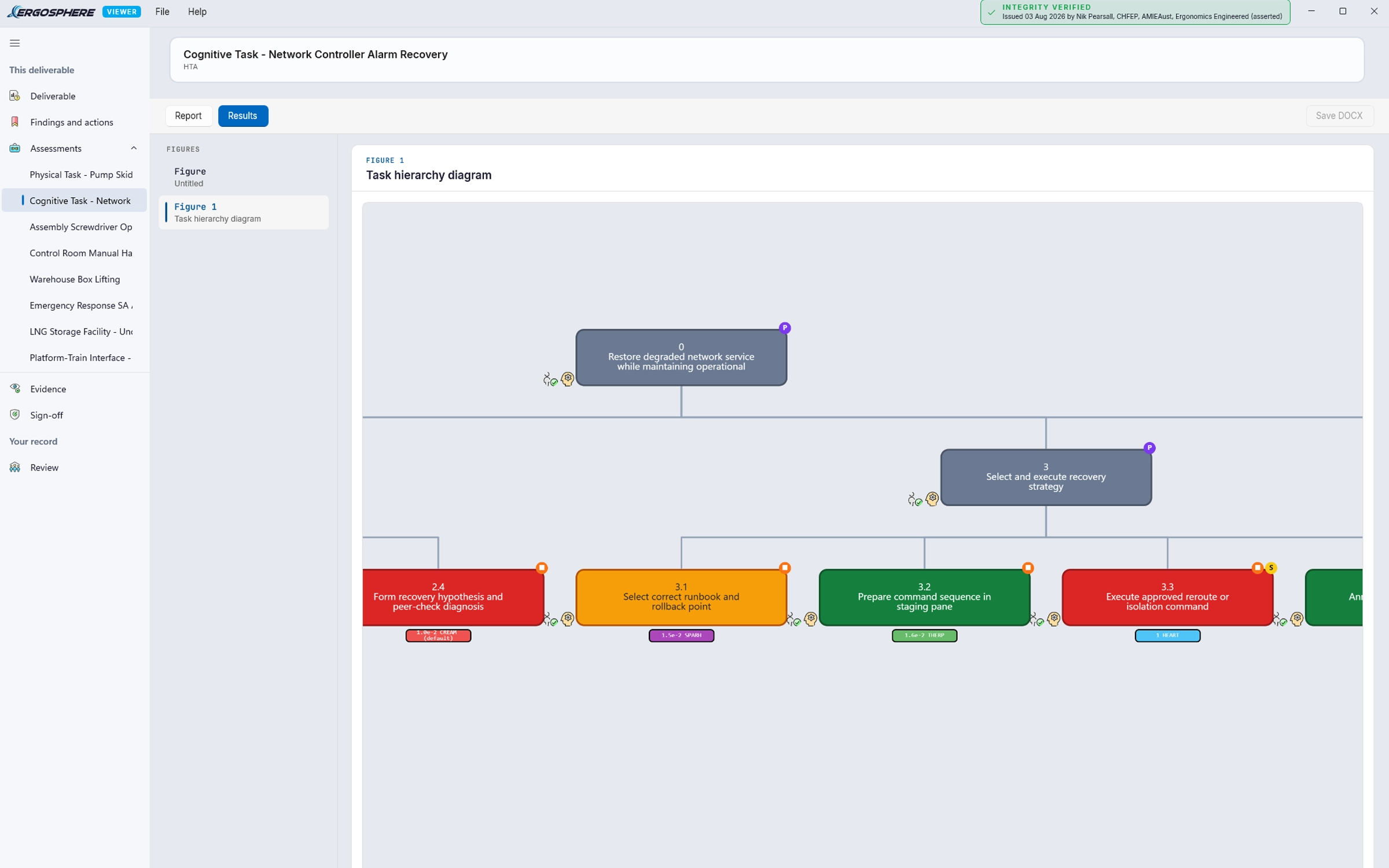
Walk the task analysis
Expand and collapse the hierarchy to any depth. Read the plans, the notes and the operator steps in place, instead of scrolling a numbered list across fourteen pages.
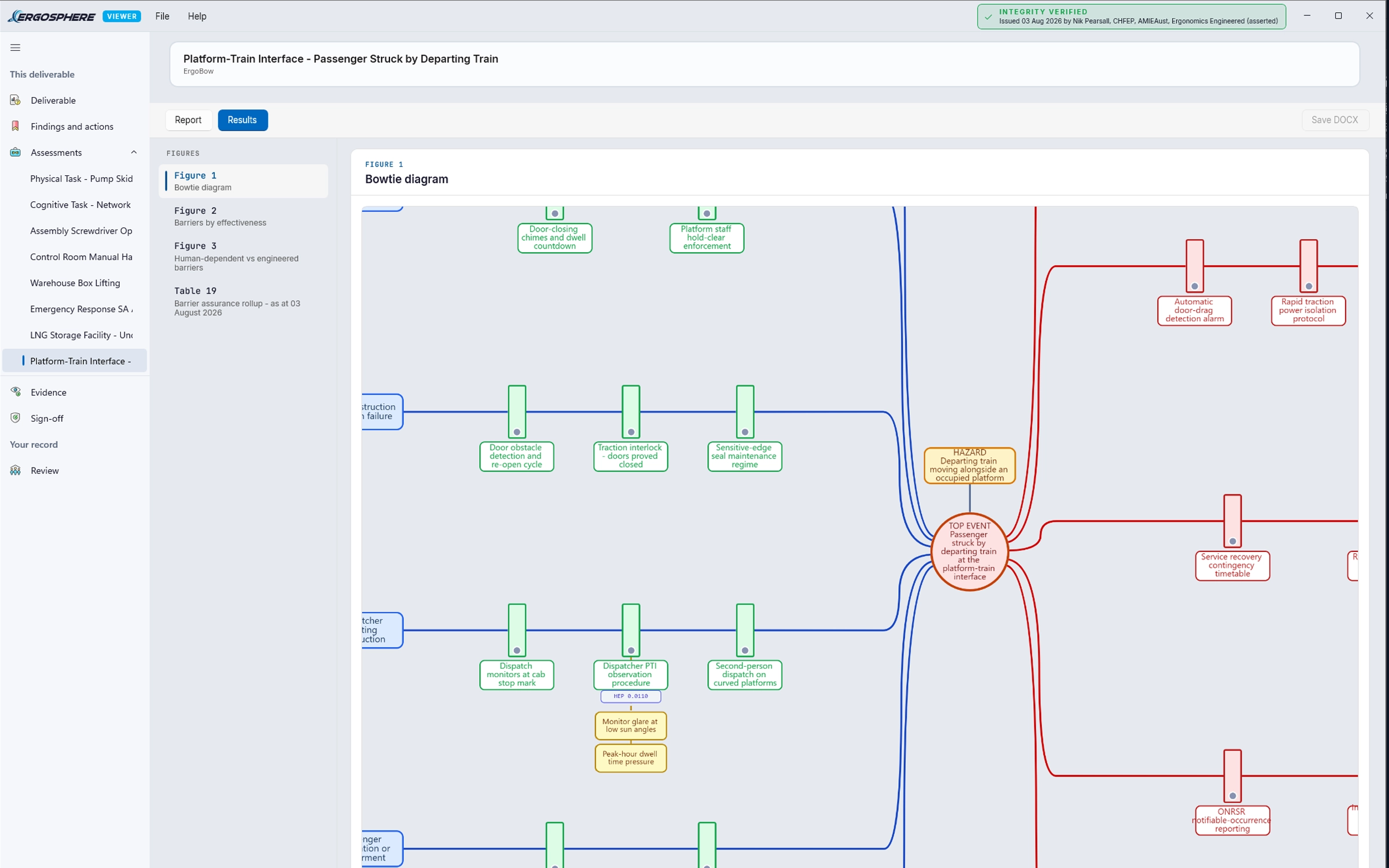
Trace the bowtie
Follow a pathway from threat through barrier to consequence. Click a barrier to see what it depends on and what it is protecting against.
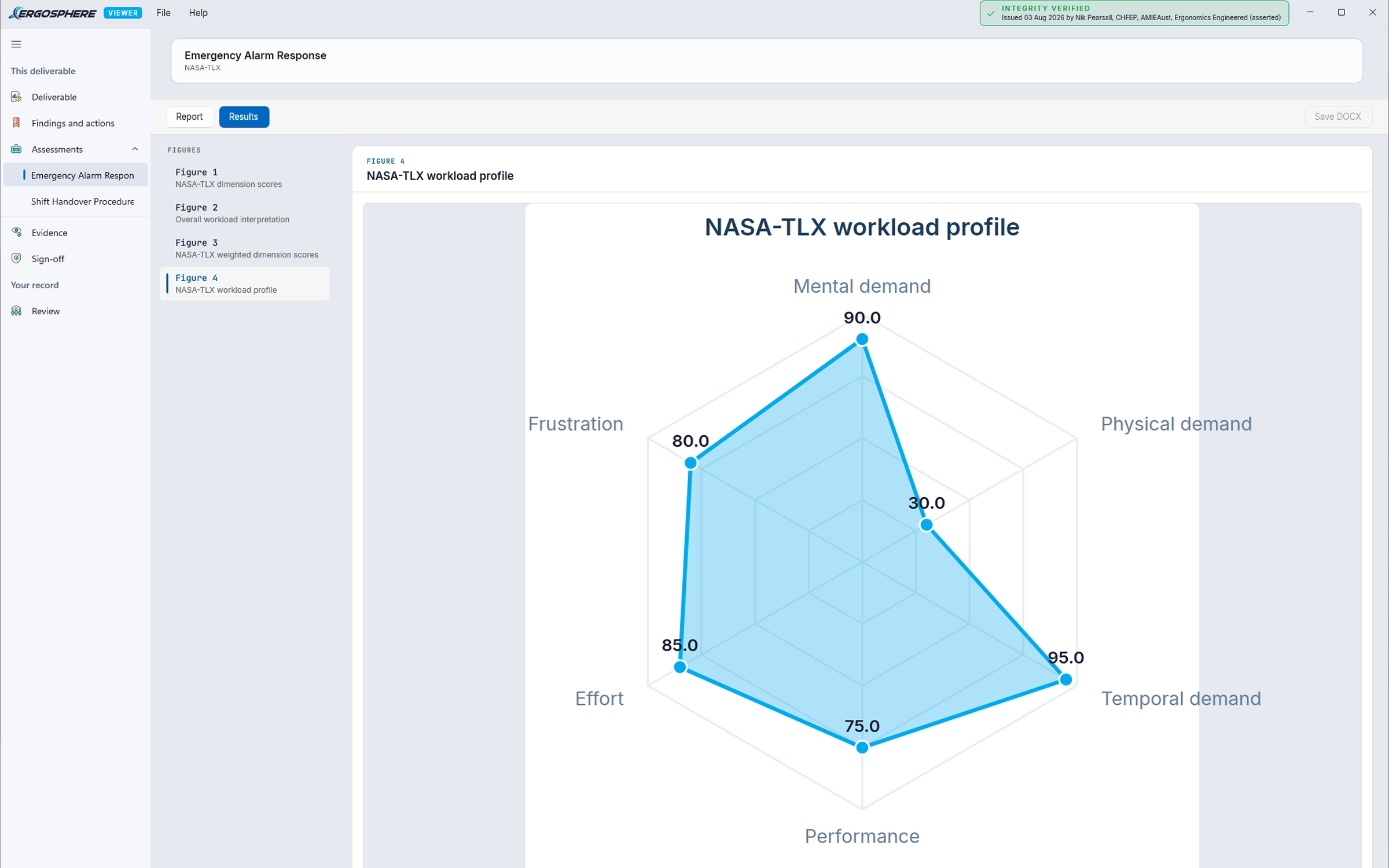
See the numbers behind the score
Charts and scores stay connected to the inputs that produced them. When a result looks surprising, you can see why it came out that way instead of asking for the working.
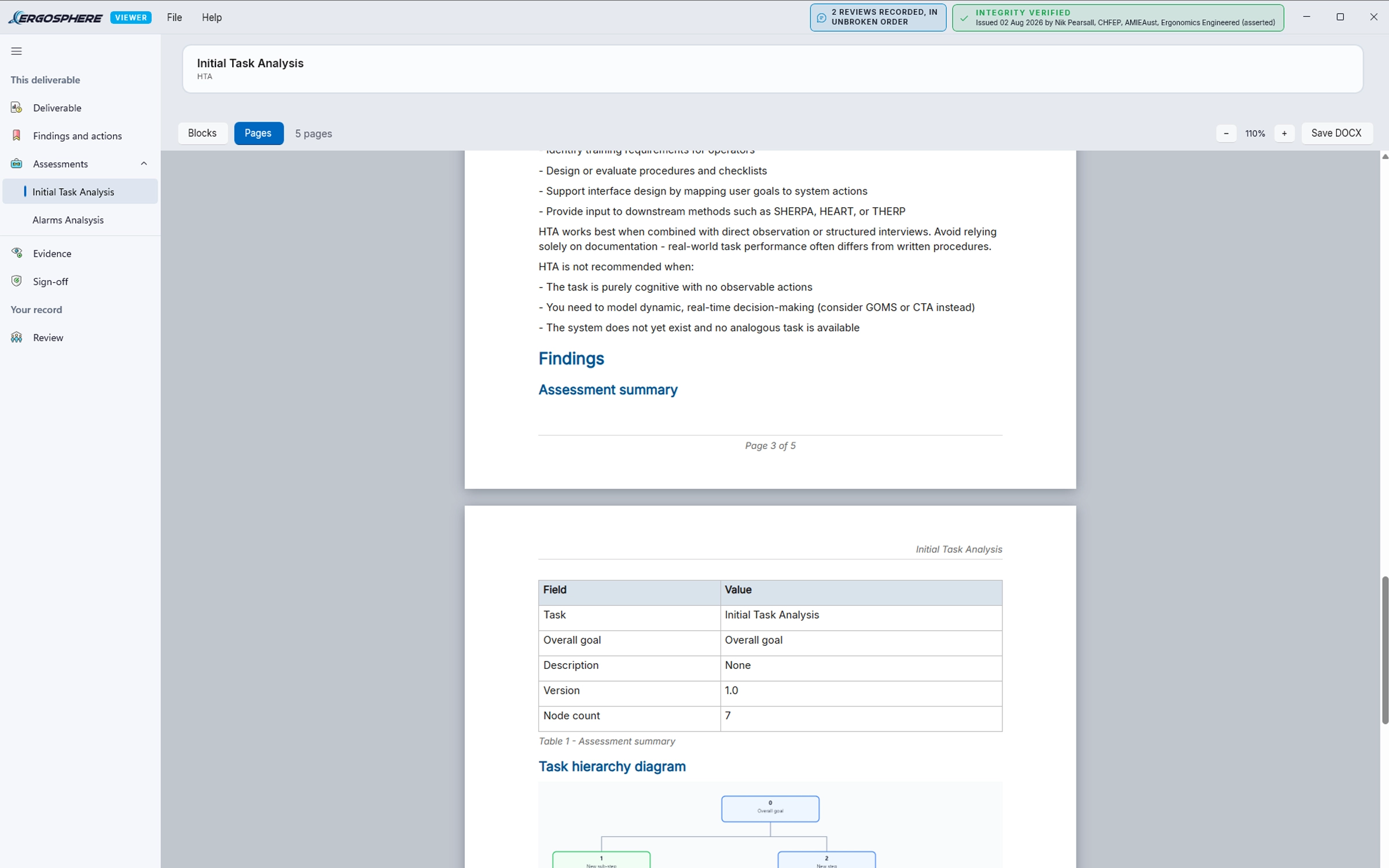
Read the report, page for page
The formal report travels in the same file, rendered as pages exactly as it was issued. When a meeting, a review board or a regulator wants the document, it is already in front of them: the same pages, the same figures, the same sign-offs.
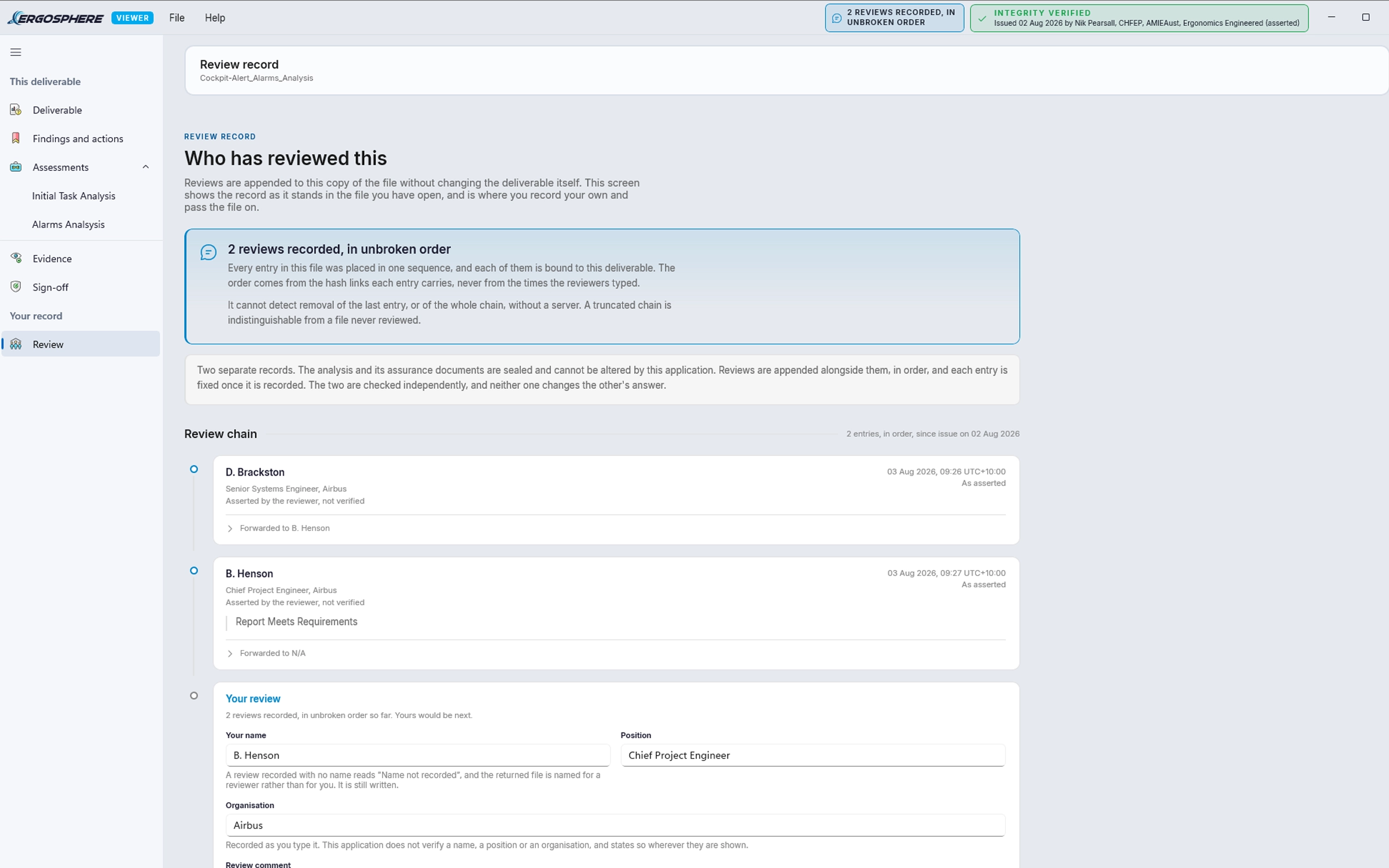
Comment, sign off, send it back
Reviewing the work, not just reading it? Write your comments in the Viewer itself. Every comment anchors to the exact finding or assessment it concerns, never "page 40, third paragraph", and each carries a status through to your sign-off.
The review travels in the file. Send the .ergview back, and your practitioner imports your comments straight into their project, each one landing against the item it was written on. Traceable end to end, and answered in the next revision.
Read-only, on purpose
The Viewer displays results. It does not edit them, recalculate them, or let anyone adjust an input and quietly produce a different answer. What you open is what your provider issued.
That constraint is the point. In defence, rail and process safety, the recurring question about an assessment is not what it says, it is which version this is and whether anyone has touched it. A .ergview file is an assurance artefact, not a working copy - and it answers that question itself: every document and figure is checked against the package seal as it opens, so an altered byte reads as a mismatch, not a maybe.
One thing does get added: your review. Comments and sign-off are appended alongside the sealed content, never written into it. The analysis cannot be altered. Your response to it is recorded.
Before you ask IT
Most of our users work somewhere that takes a close interest in new software. Here is everything your IT team will ask for, up front.
Code Signing
Distributed as a signed MSIX package under a DigiCert Extended Validation certificate issued to Ergonomics Engineered Pty Ltd.
Network Behaviour
The Viewer does not require a network connection to open a file. Your assessment data is never transmitted.
Accounts
None. There is no sign-in, no licence key and no activation.
Telemetry
None.
Data Handling
The .ergview file is read from local disk. Nothing is uploaded, synced or cached off the machine.
Installation
Standard MSIX install. It can be deployed through your normal application packaging route.
Publisher
Ergonomics Engineered Pty Ltd, ABN 44 693 121 845, Brisbane, Australia.
If your security team needs anything further before approving the install, get in touch and we will answer it directly.
Ask for it in the deliverable
If you commission human factors work, you can ask for it in this format. Add the following to your scope of works or your tender documentation.
Providers who already work in ErgoSphere can export this directly. Anyone else can start.
Producing the work rather than receiving it? This is what your clients see.